Git server access
This page is for advance users willing to add a new plugin to nptool v4. For this you will need an account on a git server, it could be:
- An institutionnal git server such as:
- gitlab.in2p3.fr
- git.gsi.de
- A private git service such as:
- gitlab.com
- GitHub.com
Note that if you have EduGain credential, you can create an account on gitlab.in2p3.fr by selecting to login using SSO.
Step 1: Fork the template
From gitlab.in2p3.fr:
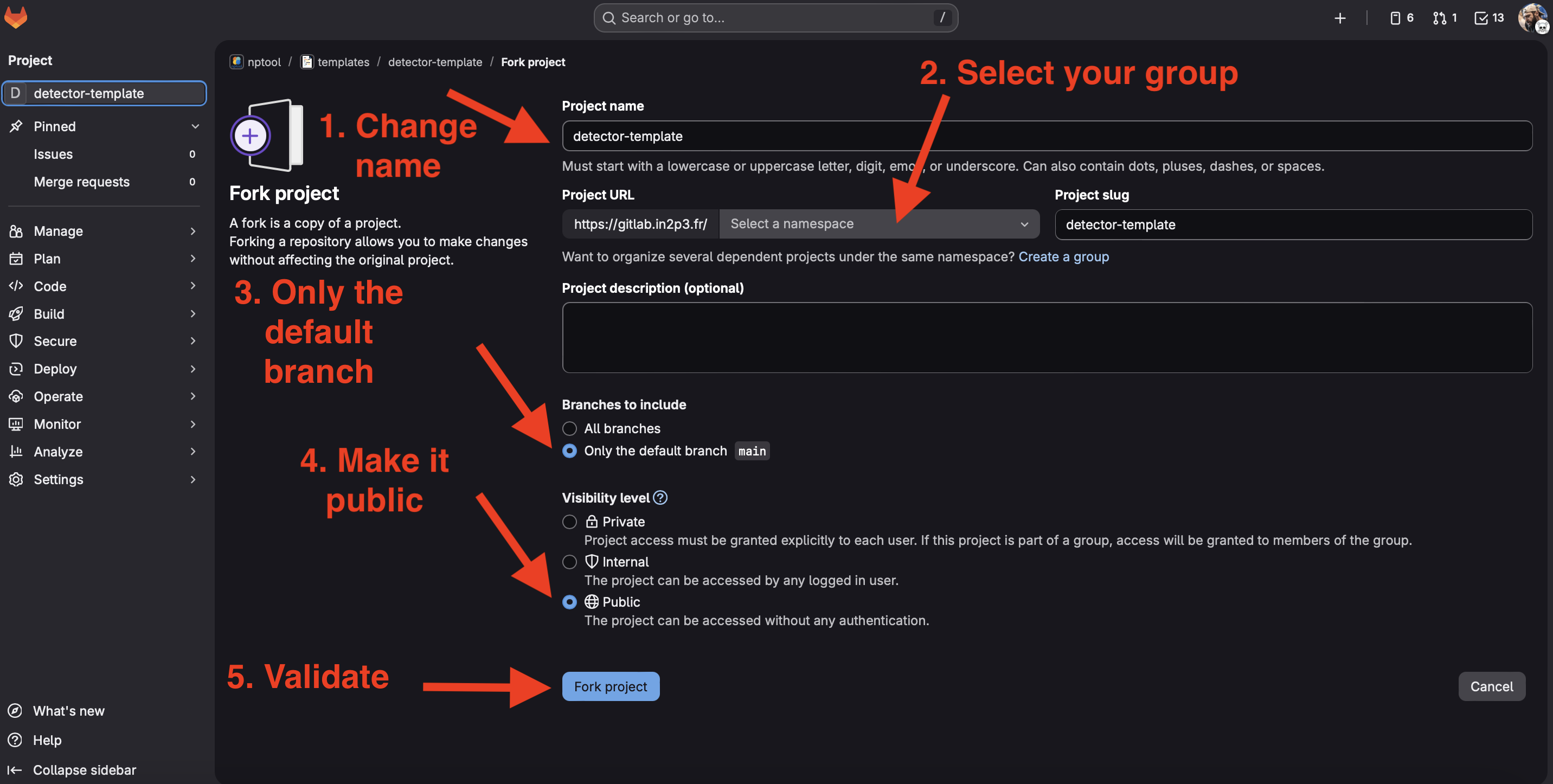
The first step is to create a group if you don’t already have one. It will contain all of your repository (plugins, project and other). Typically we have a group for a given collaboration. Your group could be the same name as your detector. Your repository address will look like : gitlab.in2p3.fr/<your group name>/<your plugin name>
Navigate to this address: https://gitlab.in2p3.fr/nptool/templates
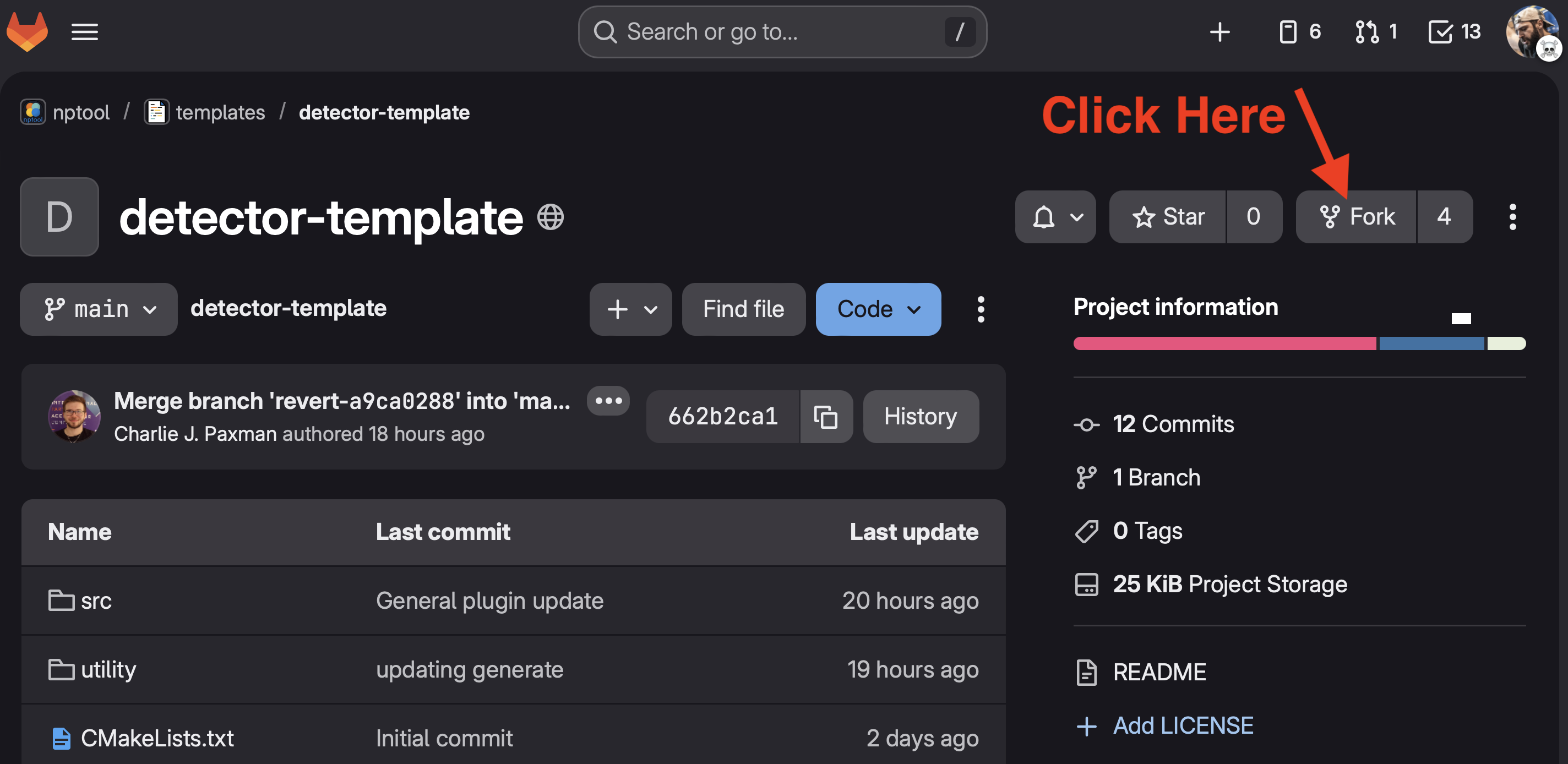
Select the template closest to your case (detector, target, event generator,…). Click on your selected template (for this example we will use the detector templates).
From GitHub.com:
Coming soon
From GitLab.com:
Coming soon
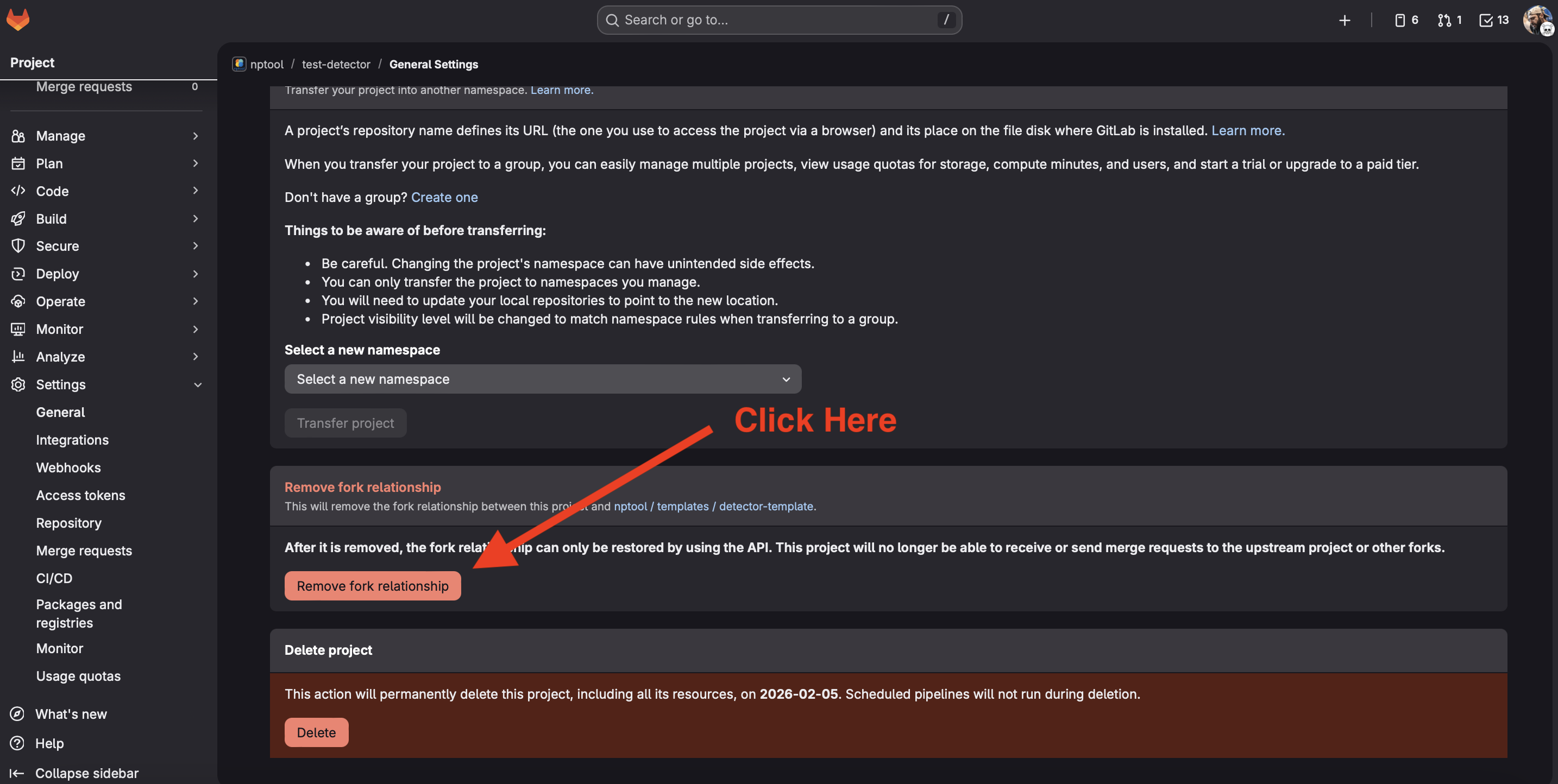
Step 2: Remove fork relationship
Step 3: Make your plugin locally available
Create a sandbox project:
We propose to create a sandbox project to develop your plugin.
nptool --new-project sandbox
npp sandbox
Clone your project:
At this stage your plugin is not yet a proper plugin and cannot be installed via the regular nptool mechanism. We will manually clone the plugin inside the sandbox project to make its source base available. You can get the plugin address from your git server as illustrated below in the case of gitlab.
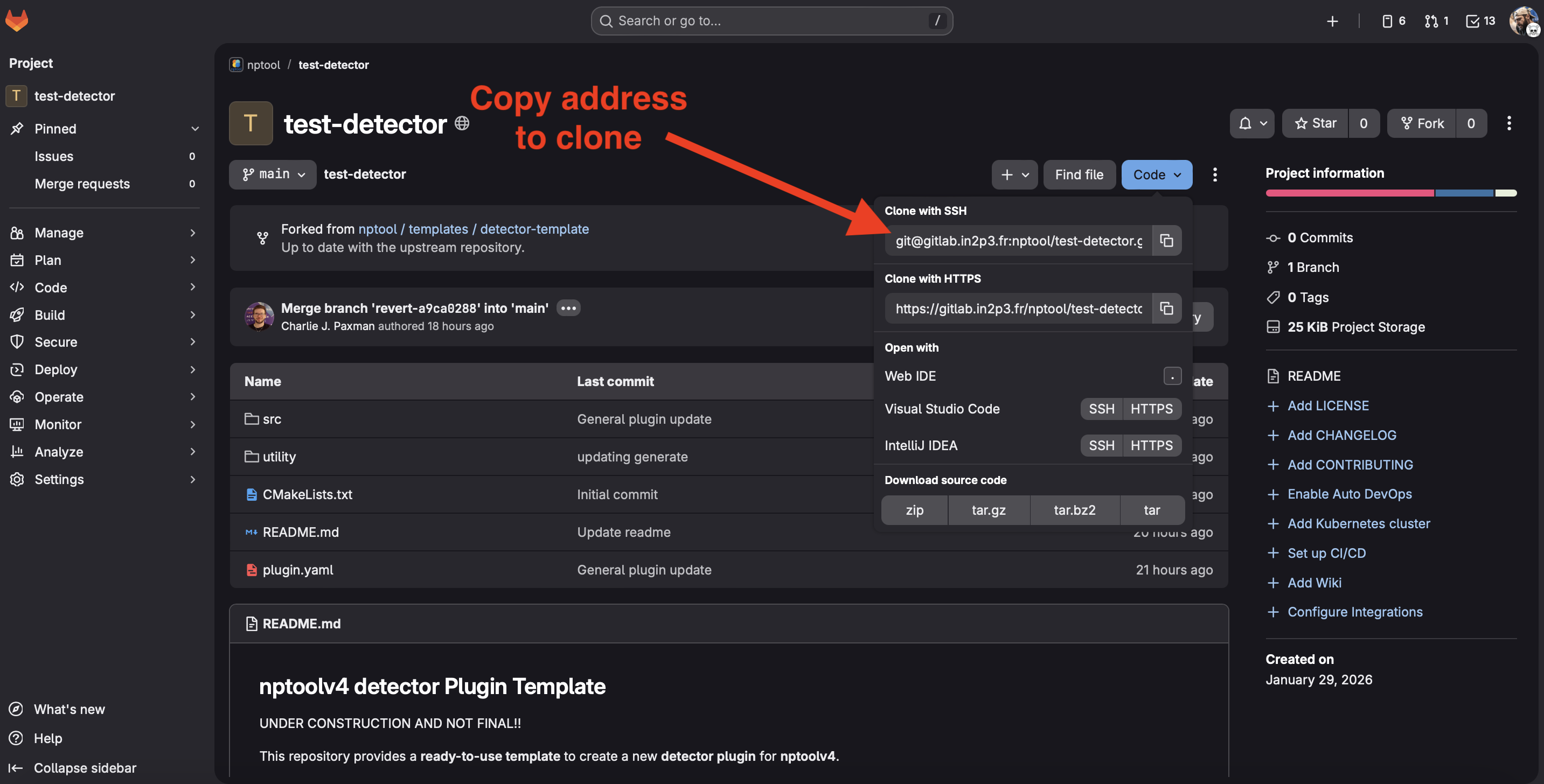
npp sandbox
git clone <your plugin address>
Make it a local plugin:
Edit the local_plugin.list file from your project to add your plugin as a local plugin. A local plugin exists only within this project.
analysis analysis libNPUserAnalysis.so
<plugin-name> <plugin-name> lib<PluginName>.so
Step 4: Run the plugin generate script
Run the following script to automatically rename the template classes with your plugin name.
python3 utility/generate.py <my-detector-name>
Step 5: Register your plugin
Create an issue on the remote packages repository asking for your plugin registrations. The repository is here: https://gitlab.in2p3.fr/nptool/remote-package